


Honor 90 Pro Battery Replacement in Kenya
The Honor 90 Pro is a flagship smartphone that embodies a blend of advanced technology and user-centric design. This device is recognized for its impressive specifications, which include a robust processor and an outstanding display. It is powered by the latest Kirin chipset, ensuring a smooth and efficient performance for various tasks, such as gaming, multimedia consumption, and productivity applications. The smartphone boasts a stunning OLED display, which not only enhances visual quality but also contributes to an immersive user experience.
One of the prominent features of the Honor 90 Pro is its camera system, which includes multiple lenses optimized for different photography needs. Users can capture high-resolution images with precision, thanks to the advanced algorithms and software enhancements supporting the camera hardware. Additionally, the Honor 90 Pro is equipped with ample storage capacity and RAM, allowing users to store a plethora of applications, photos, and videos without compromising on performance.
The significance of the battery in the Honor 90 Pro cannot be overstated. With a sizable capacity, the battery is designed to sustain prolonged usage throughout the day, accommodating the power demands of both everyday functions and intensive tasks. However, over time, all batteries experience wear and tear, leading to decreased performance and overall battery life. This degradation may prompt users to consider a battery replacement, especially if they find themselves frequently charging the device or experiencing unexpected shutdowns. This guide will delve into the battery replacement process, providing essential insights into recognizing the need for a new battery, the average lifespan of the current battery, and how to effectively replace it when necessary.
Signs That Your Honor 90 Pro Battery Needs Replacement
Identifying when the battery of your Honor 90 Pro requires replacement is crucial for maintaining optimal device performance. Several signs indicate potential battery issues, which can diminish your device’s functionality over time. One of the most prevalent symptoms is rapid battery drain; if you notice that your Honor 90 Pro discharges significantly faster than it used to, even under normal usage patterns, this may suggest that the battery’s capacity is diminishing.
Another hallmark sign of a malfunctioning battery is the device’s failure to charge adequately. If the Honor 90 Pro does not respond or shows inconsistent charging behavior, such as fluctuating charge percentages or taking an unusual amount of time to reach a full charge, this could further indicate a failing battery. These issues can be attributed to wear and tear over time, leading to diminished ability to hold a charge.
Overheating is also a critical indicator that your Honor 90 Pro battery might need replacement. While some warmth during charging is standard, an excessively hot battery can pose safety hazards and lead to further complications. If you notice that your device becomes uncomfortably warm during normal operations or charging cycles, this could signify underlying battery issues that necessitate attention.
Lastly, if your Honor 90 Pro experiences unexpected shutdowns, especially when the battery level appears sufficient, it is an essential sign that the battery’s reliability has been compromised. These disruptions can hinder productivity and overall device usage. Recognizing these symptoms early can help you take proactive measures, ensuring that your device remains operational and effective. Regular monitoring of battery performance can lead to timely replacements, enhancing your user experience significantly.
Choosing the Right Replacement Battery
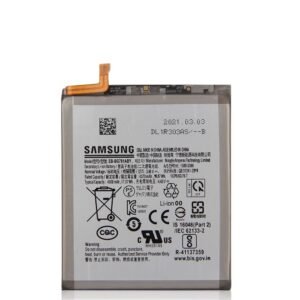
When it comes to selecting a replacement battery for your Honor 90 Pro, several factors need to be considered to ensure optimal performance and longevity. The first major decision involves choosing between original equipment manufacturer (OEM) batteries and third-party options. OEM batteries are designed specifically for the Honor 90 Pro, ensuring compatibility and reliability. These batteries often come with a warranty, providing peace of mind in terms of quality and usability. Although they may be more expensive, the assurance of meeting manufacturer specifications can save you from potential issues down the line.
On the other hand, third-party batteries might offer a more budget-friendly alternative. However, caution is warranted as not all third-party batteries are created equal. It’s essential to research reputable manufacturers known for their quality and favorable customer reviews. Look for batteries that specify they are compatible with the Honor 90 Pro, as incompatibility could lead to diminished performance, overheating, or permanent damage to the device.
Another critical aspect to consider is the identification of counterfeit batteries, which can be prevalent in the market. To avoid falling victim to such products, consumers should purchase batteries from authorized retailers or directly from the manufacturer’s website. Examine the packaging and labels carefully; legitimate batteries will typically have clear branding, proper certification stickers, and detailed specifications matching those of the original unit. Additionally, checking the battery’s capacity, measured in milliamp hours (mAh), can provide insight into its overall performance potential. An inferior battery will often have a lower capacity than the original, impacting your device’s operating time.
In summary, by choosing the right replacement battery, whether OEM or a trustworthy third-party alternative, and being vigilant against counterfeits, you can ensure that your Honor 90 Pro continues to function effectively long after the original battery has served its time.
Tools and Materials Needed for Battery Replacement
Replacing the battery of your Honor 90 Pro requires specific tools and materials to ensure a safe and effective process. Properly gathering these items beforehand can significantly streamline the procedure and help prevent damage to the device.
Firstly, you will need a set of precision screwdrivers, particularly a Phillips head screwdriver and a Torx screwdriver, which are essential for removing the screws that hold the device together. These small, intricate screws are often found around the back cover and the battery compartment, and using the right size will help avoid stripping the screws.
Next, a plastic prying tool is critical for opening the device without causing any scratches or damage to the exterior. These tools allow you to gently pry apart the casing without applying excessive force. Additionally, a spudger can be beneficial for disconnecting battery connectors that are tightly secured. These tools are designed to be non-conductive, minimizing the risk of any electrical short-circuits while handling internal components.
Another important material required for battery replacement is adhesive strips. These strips help secure the new battery in place once it has been installed. Over time, the original adhesive may weaken, so having fresh adhesive strips ensures that the battery stays firmly in position, preventing movement which could lead to further complications.
Moreover, it is advisable to have an anti-static wrist strap to prevent any static electricity buildup that may affect sensitive electronic components. Finally, consider using a clean, flat workspace with proper lighting to enhance visibility as you work. By preparing these tools and materials ahead of time, you can ensure a more efficient and safe battery replacement process for your Honor 90 Pro.
Step-by-Step Battery Replacement Guide
Replacing the battery in your Honor 90 Pro can seem daunting, but with the right approach, it can be accomplished. It is critical to follow each step diligently to ensure a successful battery replacement. Before commencing, ensure you have the necessary tools, such as a small Philips screwdriver, a plastic prying tool, and a new battery compatible with Honor 90 Pro.
First, power down your device completely. This step is essential for safety and to prevent any electrical short circuits during the replacement process. Once the phone is turned off, prepare a clean, flat workspace free of distractions.
Next, use the plastic prying tool to gently open the back cover of your Honor 90 Pro. Start at one edge, taking care not to apply excessive force, which could damage the device. You may find it helpful to look for any guides or videos online to illustrate this step better.
After successfully removing the back cover, you will see the internal components of your device. Locate the battery connector and gently disconnect it from the motherboard. This step requires caution; ensure you do not damage the surrounding components.
Once disconnected, the next task is to remove the old battery. If it is secured with adhesive, heat may assist in loosening it. Carefully take out the old battery, ensuring not to puncture it as this could lead to dangerous leaks.
Now, insert the new battery into the designated area. Make sure it is positioned correctly and then reconnect it to the motherboard. Firmly press down to ensure the connection is secure.
Finally, replace the back cover of your Honor 90 Pro, ensuring it snaps into place. Power on your device to verify that the battery replacement was successful. Following these steps minimizes risk and enhances the longevity of your device. With careful execution, replacing the battery can refresh your Honor 90 Pro’s performance significantly.
Tips for Ensuring a Successful Replacement
Replacing the battery of your Honor 90 Pro can seem daunting, yet with the right approach, the process can be accomplished smoothly and successfully. One essential tip is to work in a well-lit and clutter-free environment. Ensuring that you have ample lighting allows you to see small components clearly, minimizing the risk of accidentally dropping or damaging them. Additionally, organizing your workspace with tools and parts can avoid confusion and help you maintain focus.
Handling delicate components requires a gentle touch and the right tools. Use an anti-static wrist strap to prevent any static discharge that may harm sensitive electronics within your device. It’s advisable to have a toolkit specifically designed for smartphone disassembly, which typically includes suction cups, plastic opening tools, and precise screwdrivers. When removing the battery, be cautious of the adhesive that holds it in place; using a heat source, such as a heating pad or a hairdryer, can soften this adhesive, allowing for easier removal without causing damage.
After replacing the battery, it’s crucial to ensure a proper seal. Press the back cover firmly to re-establish the waterproof feature, as any gaps can lead to exposure to moisture or dust. Furthermore, before fully reassembling your device, test the new battery to confirm it holds a charge and functions correctly. It is advisable to power on the device and check for any anomalies before completing the assembly process. This step can save you from needing to reopen the device if an issue arises post-replacement.
By following these tips, you can enhance your chances of a successful battery replacement for your Honor 90 Pro, employing care and diligence to safeguard the integrity of your smartphone throughout the repair process.
Aftercare for Your New Battery
Once the battery of your Honor 90 Pro has been replaced, ensuring its longevity and efficiency becomes essential. Taking proper care of your new battery can significantly enhance its performance and lifespan. One of the most critical aspects of aftercare involves your charging habits. It is advisable to use the original charger that came with your device, as this is optimized for the specific battery in your Honor 90 Pro. Additionally, avoid letting the battery drain completely before recharging. Ideally, maintain the battery level between 20% to 80% to promote health and efficiency.
Furthermore, be mindful of the temperature conditions surrounding your device. Batteries perform best in moderate temperatures. High heat can negatively affect battery life by causing it to wear down faster, while extremely low temperatures can lead to decreased performance and rapid depletion. Therefore, keeping your phone away from direct sunlight, hot cars, or cold environments is vital for maintaining optimal battery performance.
Another key consideration for aftercare is your device’s software settings. Many smartphones, including the Honor 90 Pro, come equipped with battery optimization features designed to prolong battery life. Enabling options like battery saver mode and restricting background processes can help extend the intervals between charges. Additionally, regularly updating your phone’s software ensures that you benefit from any enhancements or optimizations introduced by the manufacturers for improved battery management.
In summary, proper aftercare for your Honor 90 Pro’s new battery includes prudent charging practices, maintaining acceptable temperature conditions, and leveraging software optimization features. By following these guidelines, you can ensure your new battery operates effectively and continues to meet your device’s power needs.
Troubleshooting Common Post-Replacement Issues
After replacing the battery of your Honor 90 Pro, several common issues may arise, leading users to experience frustration. It is essential to understand these potential problems to effectively address them. One of the most frequent issues reported is the phone not powering on. This can occur due to improper connections or a fault with the new battery. Users should first ensure that all connections are secure and that the battery is correctly seated in its compartment. If the device still fails to power on, it may be beneficial to test the battery with a multimeter to check for any voltage discrepancies.
Another prevalent issue relates to charging. Users might notice their device not recognizing the charger or taking an unusually long time to charge. In such cases, it is advisable to inspect the charger and cable for any signs of wear or damage. Additionally, using a different charging adapter could help further isolate the problem. If the issue persists, it may indicate a malfunction within the charging port of the device, necessitating a more in-depth examination.
Battery percentage inaccuracies can also plague users after a replacement. Clients may find that the percentage displayed is not representative of the true charge level. To remedy this, performing a battery calibration is suggested. This involves fully charging the device to 100% and allowing it to drain completely before charging it again without interruption. This process can help recalibrate the device’s software to accurately reflect the battery’s status.
While replacing the battery on the Honor 90 Pro can enhance performance and longevity, it is crucial to be prepared for these common post-replacement issues. By understanding potential challenges and implementing proper troubleshooting techniques, users can ensure a smooth transition to the new battery without significant disruptions.
When to Seek Professional Help
In the realm of smartphone maintenance, particularly when it comes to battery replacement for devices like the Honor 90 Pro, there are certain situations where seeking professional assistance is advisable. Although many users may feel inclined to attempt a DIY battery replacement, there are specific circumstances that warrant expert intervention. These scenarios typically involve complex device damage, warranty considerations, or personal confidence in executing the replacement effectively.
Firstly, if your Honor 90 Pro has sustained significant damage beyond just a degraded battery, it is prudent to consult a professional. Damage that affects the internal components, such as the motherboard or charging port, requires specialized knowledge for repair. Attempting to replace a battery in a device with underlying issues may exacerbate the existing damage and potentially lead to further complications. Professionals possess the expertise to diagnose these issues accurately and perform necessary repairs appropriately.
Secondly, consider the implications of your device’s warranty. Many manufacturers, including the makers of Honor smartphones, offer warranties that can be voided if unauthorized repairs are performed. If your device is still under warranty and you attempt a DIY battery replacement, you risk losing the protection offered by the manufacturer. It is essential to weigh these factors carefully and, if in doubt, consult with a certified technician to preserve your warranty benefits.
Lastly, personal confidence plays a crucial role in the decision to pursue a DIY replacement. If you are not well-versed in smartphone repair techniques or lack the necessary tools, it is wise to avoid the potential pitfalls of unprofessional work. Professional technicians not only ensure a higher success rate during the battery replacement process but also provide subsequent support if any issues arise post-repair.


There are no reviews yet.